Blog
Notes on spreadsheets, screenshots, and building Celtrim.
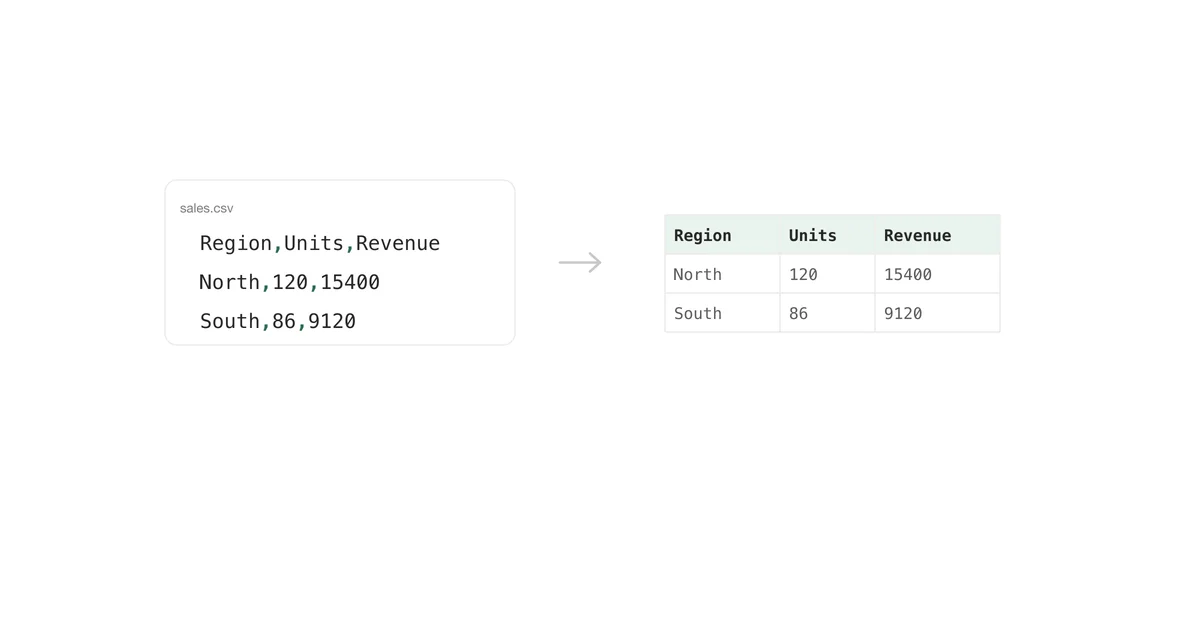
What is a CSV file?
What is actually inside a .csv, the quoting rule that makes it work, why the separator is often not a comma, and how encoding turns names into gibberish.
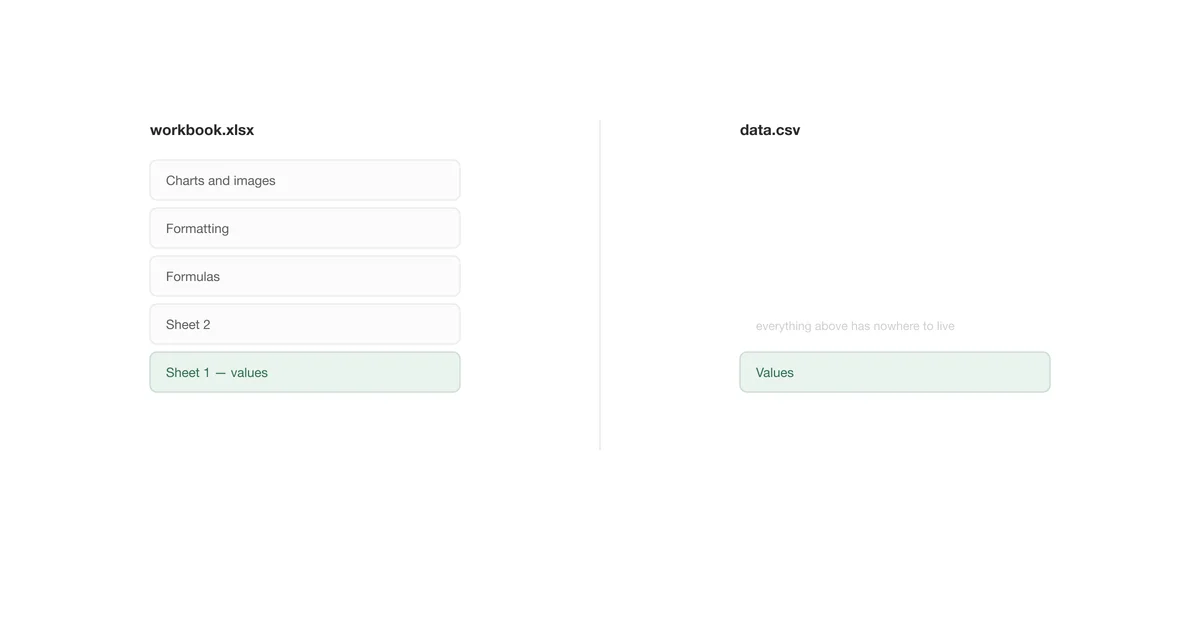
CSV vs Excel: which format should your data live in?
What each format holds, exactly what a conversion to CSV throws away, and the rule that settles most arguments: CSV is a transport format, not a storage format.

How to print an Excel sheet without it breaking across pages
Page Break Preview, Scale to Fit, print areas, repeating header rows, and the setting that stops Excel printing 47 blank pages.
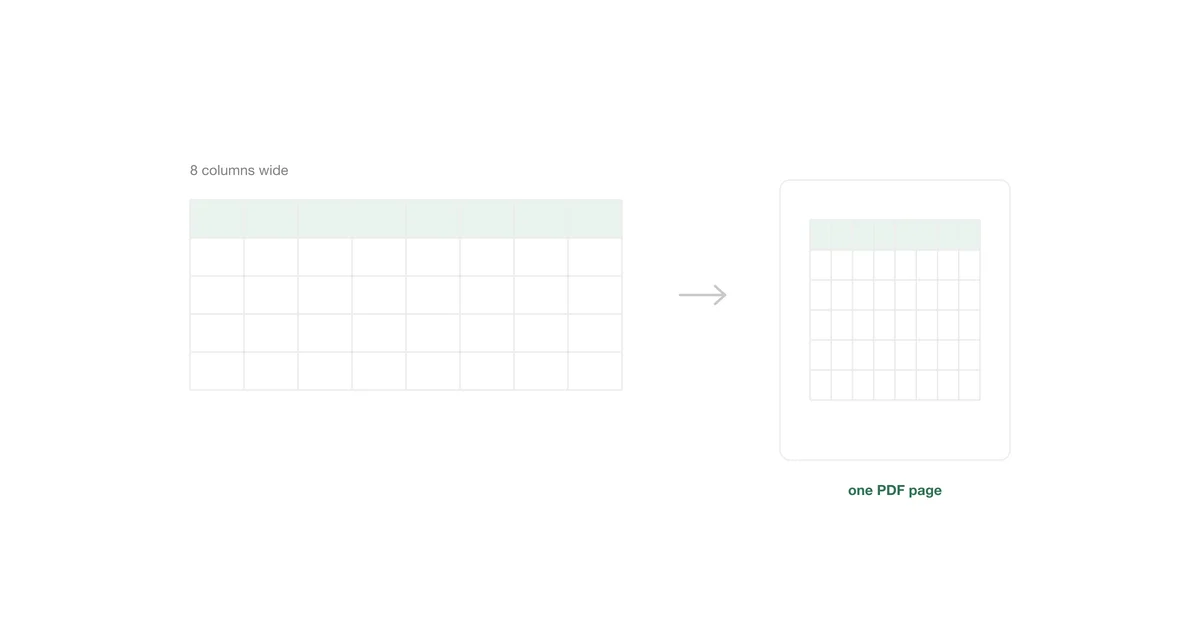
How to save an Excel sheet as a PDF
The three export routes and which to use, the Options dialog that decides which sheets you get, and when a PDF is the wrong format entirely.

Excel's row limit, and what to do when you hit it
1,048,576 rows, where the number comes from, why a too-large CSV gets quietly truncated instead of failing, and the four ways out.

How to make a spreadsheet screenshot fit an email
Choose a readable range, remove spreadsheet chrome, and export at the right width so recipients can read the table without opening an attachment.

How to put an Excel table in PowerPoint without blur
Export a sharp table image at the right aspect ratio and avoid the scaling choices that make spreadsheet text fuzzy on slides.
How to share an Excel table in Slack or Teams
Send the useful rows as a readable image instead of attaching a workbook or pasting a table that loses its alignment.

How to turn a CSV into an image
Open comma-separated data as a table, select the rows and columns that matter, and export a clean PNG without taking a screen capture.

How to export Excel without gridlines
Hide worksheet gridlines for printing or remove them from a selected table image while keeping intentional borders intact.

How to copy an Excel table as an image
Compare Excel's Copy as Picture command with a clean PNG export for email, documentation, presentations, and chat.
How to save an Excel range as a PNG
Export selected Excel cells as a PNG file without capturing the ribbon, row numbers, empty cells, or the rest of the worksheet.

How to insert a screenshot into Google Sheets
Insert image over cells vs. insert image in cell behave very differently — here's which one to use and how to avoid a squeezed-in screenshot.

How to screenshot a Google Sheet
Google Sheets has no built-in export-as-image command — here's the OS screenshot approach, its viewport limits, and a cleaner path via export.
How to screenshot an Excel dashboard
KPI cells, charts, and conditional-formatting heatmaps each need a different capture approach — here's why one screenshot method doesn't fit a whole dashboard.

Screenshotting Excel Copilot and Python in Excel
Copilot's chat pane, agent mode's status log, and Python in Excel's object cards all live outside the worksheet grid — what that means for capturing them.
How to convert a screenshot to Excel
Turning a table image back into editable cells relies on OCR — here's how Excel's built-in importer works and where it gets numbers wrong.
How to insert a screenshot into Excel
Two ways to embed an image in a workbook — Insert → Pictures and a direct clipboard paste — plus how to keep file size under control.
Screenshotting Excel formulas and pivot tables
Pivot tables collapse, XLOOKUP results go stale, and Power Query lives in its own window — what actually breaks and how to get a clean shot.
How to screenshot an Excel sheet
Three ways to turn part of a spreadsheet into an image — and why a browser tool beats snipping and cropping by hand.